
Mac
Apple Silicon (M1 or newer) · macOS 13 Ventura or later
Download for MacDownload
Install it on your Mac or Windows PC, paste your license key once, and you’re editing. Version 1.4.1 · updates install themselves.
Install it on your computer, not this phone. EditWithChat is a Mac and Windows app. On your laptop or desktop, open editwithchat.com/download, download it there and paste your license key.
Your license key is in the receipt email.
Paste it into the app the first time you open it. It’s also in your receipt email to , so you can find it on any device.
Apple Silicon (M1 or newer) · macOS 13 Ventura or later
Download for MacWindows 10 or 11 · 64-bit
Download for WindowsBought it already? Download the app on the computer you want to use and paste the license key from your receipt email. It doesn’t matter which device you paid on.
Haven’t bought it yet? The app asks for a license key when you open it. Get your key · $19 once, or get a free 3-day trial key first.
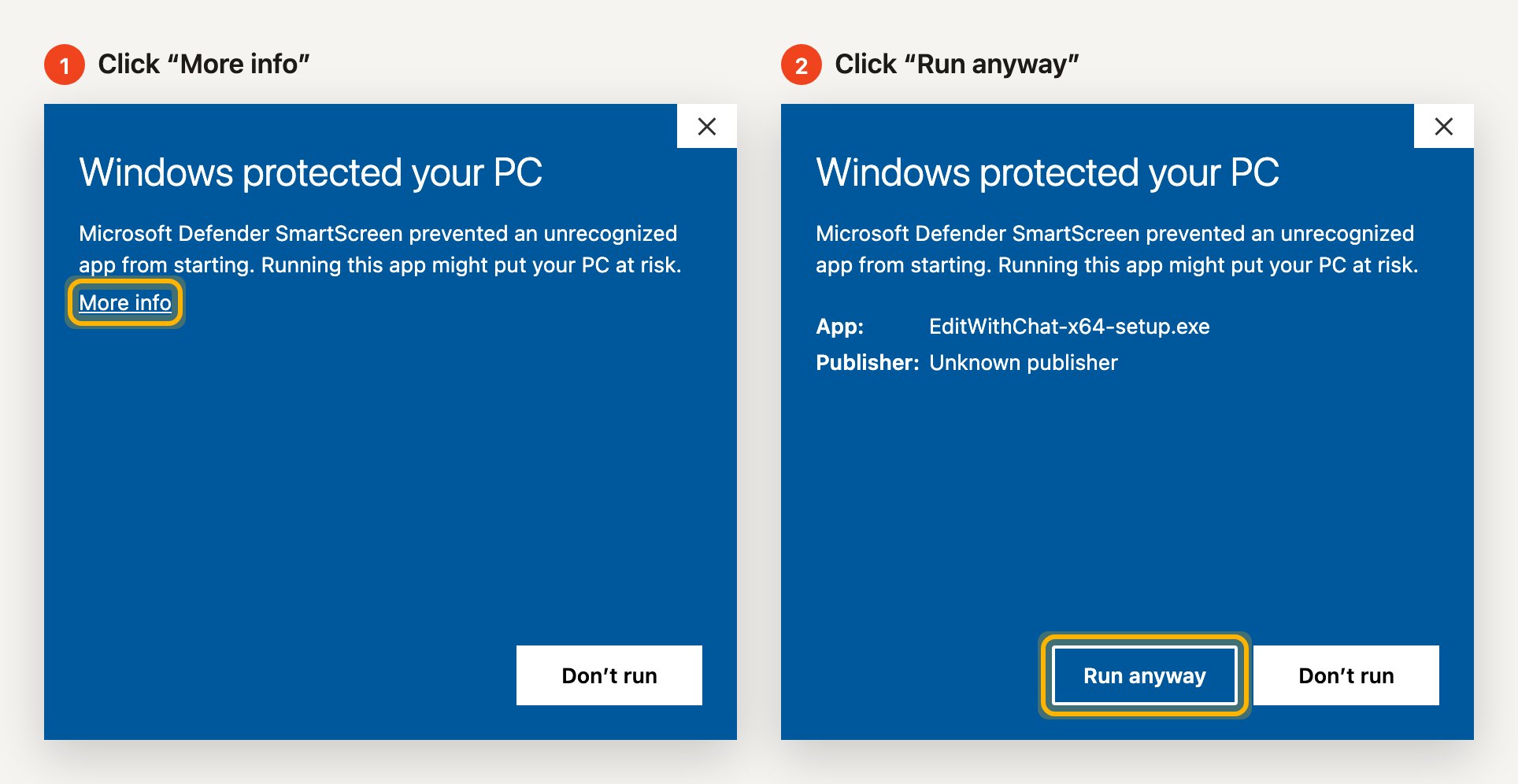
That’s Microsoft SmartScreen. It shows this for new apps it hasn’t seen many downloads of yet, not because something is wrong. Click More info, then Run anyway, and the installer starts.
Open editwithchat.com/download on your Mac or Windows PC and download it there. Your license key is in the receipt email, and it works on any computer.
Search your inbox (and spam) for “EditWithChat” or “Dodo Payments”. Still nothing? Email support from the address you paid with and we’ll send it again.
A license is for 1 computer at a time. On the old one, open Settings → License → Deactivate, then paste the same key on the new one.
You don’t need to download it again: it updates itself. If you do reinstall, your videos, templates, brand and license are all still there.
No. The Mac app needs Apple Silicon (M1 or newer).
On a Mac, your videos are saved in Movies → EditWithChat. On Windows, they are saved in Videos → EditWithChat. You can choose another folder in Settings → Storage. Each video keeps its raw footage, versions and the chat with the editor. When you export, you choose where the finished video goes. Done with the raw footage? Delete it from the Videos page to free space.